Creating a Seamless Application Tracking System with Custom Automations

Web Design

The Camphill Association of North America is a network of intentional life-sharing communities for residents with and without intellectual or developmental disabilities. Volunteers at Camphill join experienced mentors to help teach, build, farm, craft, cook, and care for the community, and can also study inclusive social development at Camphill Academy.

Camphill’s existing volunteer application system used an expensive, over-powered centralized portal that was difficult for the different communities’ admissions teams to manage. Raphael Village, a Camphill community and one of Online Optimism’s past website clients, pointed the Camphill team our way for a less expensive, more streamlined system.

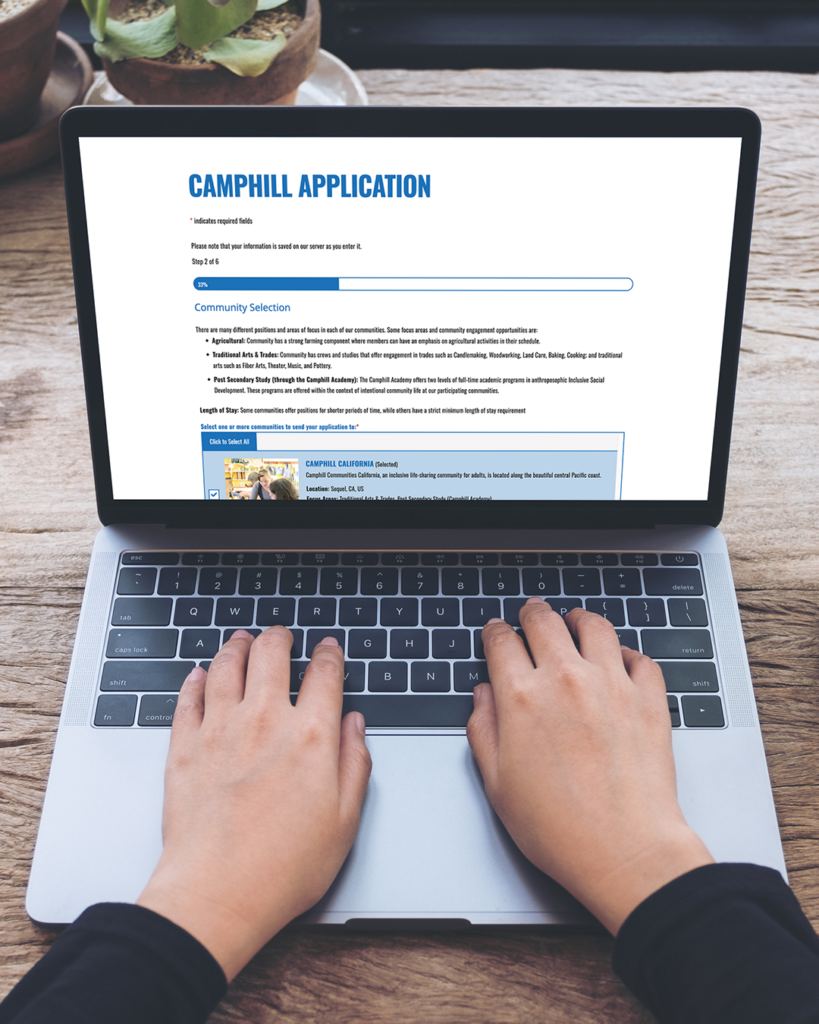
View of front end of Camphill application on laptop.

A Fresh Start

Our team took the questions from the existing application form and used them to create a new application in Gravity Forms, allowing us to choose from their many available integrations and design exactly the functionality needed for this complex form, without the feature bloat of a portal platform slowing it down.

Lightening the Load

The new form was the perfect opportunity to reorganize and reduce the application questions. We worked with the Camphill team to iterate over the requirements and requested information until it covered all the bases without putting unnecessary work on the applicants — including creating a separate miniature intake form for existing volunteers who now wanted to apply to Camphill Academy, but didn’t need to provide updated volunteer information as well.
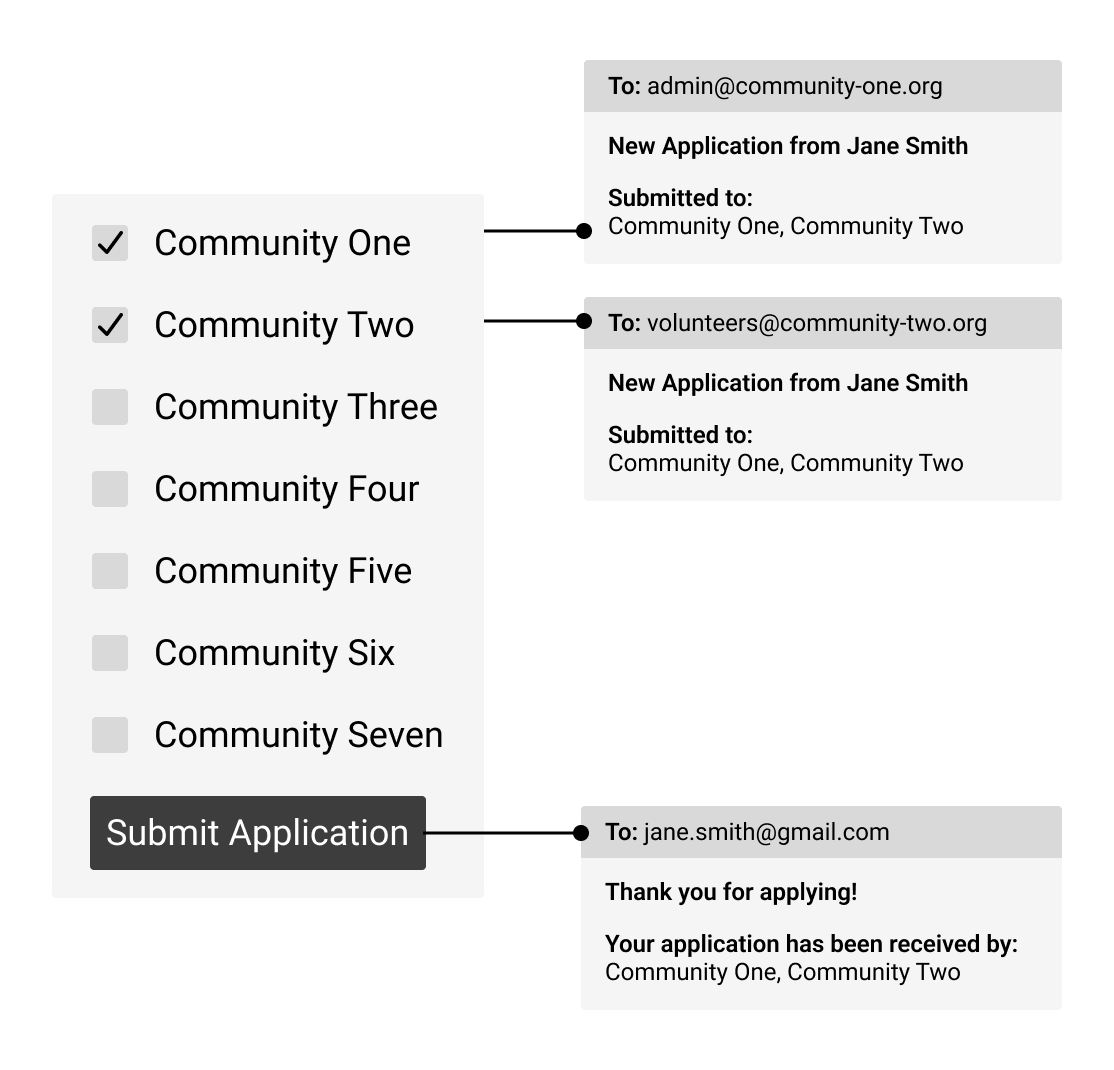
Mockup of automation sending application to selected communities with dynamic email routing.

Unifying Updates

Integrating the form with the existing list of communities on the website centralized admin work for each community, letting them update their contact information, volunteer availability, and other information all in the same place. Volunteers can send a single application to multiple communities, where the admissions teams can now speed up internal communication and coordinate their application evaluations in a shared view where they can compare notes with other communities, update each application’s status individually for each community, and finalize acceptance decisions together.

Reminders, Conditionals, and Routing

Gravity Forms offers a wide array of built-in options for notification emails, which we extended further with the Spellbook extension library from Gravity Wiz. This allowed us to set up dynamic routing to each community’s admissions inbox, “save and continue” options for applicants to resume their submission later from another browser, and automated one-week-later reminders for applicants who left their submission incomplete.

Form to Table

Once the application form was nailed down, we connected it to a powerful but straightforward Google Sheet that all the admissions teams can access.

Keeping it Clean

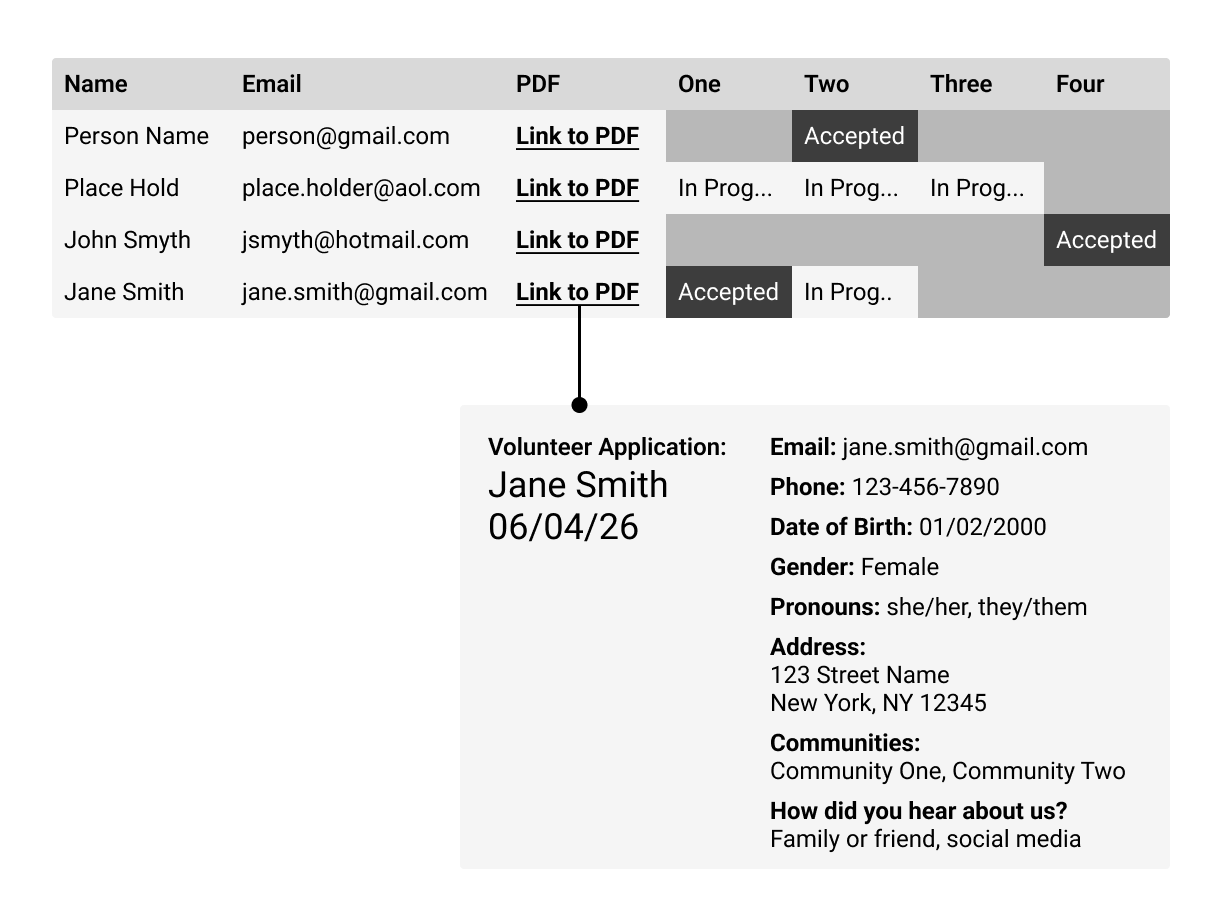
Every entry goes straight from the website into the spreadsheet, filling in only the key data like name, email, and selected communities. Using Gravity PDF and Google Apps Script, each application entry automatically creates a templated PDF containing the full application data, then uploads that PDF to Google Drive, using the applicant’s email address to link the PDF to its corresponding row in the spreadsheet. The sheet stays simple and easy to navigate, and every applicant’s full information is just a click away.

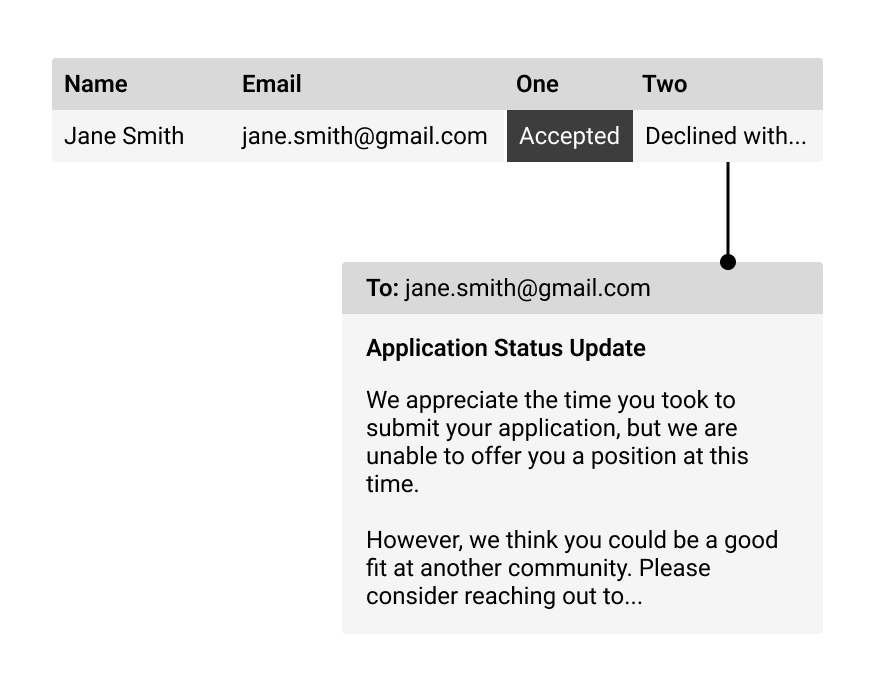
Mockup of spreadsheet showing application data with application status columns and linked PDFs.
Mockup of spreadsheet showing application status and status update email.

Automating the Work

Behind the scenes of the spreadsheet is the final piece of the puzzle: another Google Apps Script function that monitors the application status dropdowns.

The function watches for edits to any of a designated set of status columns, and when the conditions are met, it sends an automated application status update email to the applicant. We used conditionals and cell references to keep key variables visible, only hardcoding the constants that had to stay fixed for stability.

Sharing Space

Another key goal for the application system was allowing all the different communities to review and approve applications, without the spreadsheet becoming overly complicated for their daily use. We set up filter views and conditional column formatting to allow each community to switch between seeing all applications, or just the ones sent to their community. Communities can also recommend applicants to each other and leave notes on different applications, just as easily as approving the applications.

Keeping Costs Low

The new system saves the Camphill team close to $22,000 per year versus their old portal! Google Apps Script uses a quota-based pricing model, so we optimized our automations to keep the applications safely under the free limits. No scripts are allowed to run at all times: incoming PDFs are processed every ten minutes rather than constantly, and the spreadsheet-automated emails are sent only on specific interactions, keeping all daily runtime far under Google Apps Script’s 90-minute total.

From the Client

Similar Case Studies

Be Our Next Case Study!

Join us for our Hops and Handshakes speed networking event on August 5!